
The Basic Grid is the standard raster for cards. It counts its cards and divides every row evenly: one card takes the full width, two cards half each, three cards a third each; from four cards on it fills rows of two, three or four columns depending on the screen and stretches the last row. A Basic Card is a Surface with an optional picture, a title, a subtitle and a description; the radius and the shadow come from the Skin.
Live Example
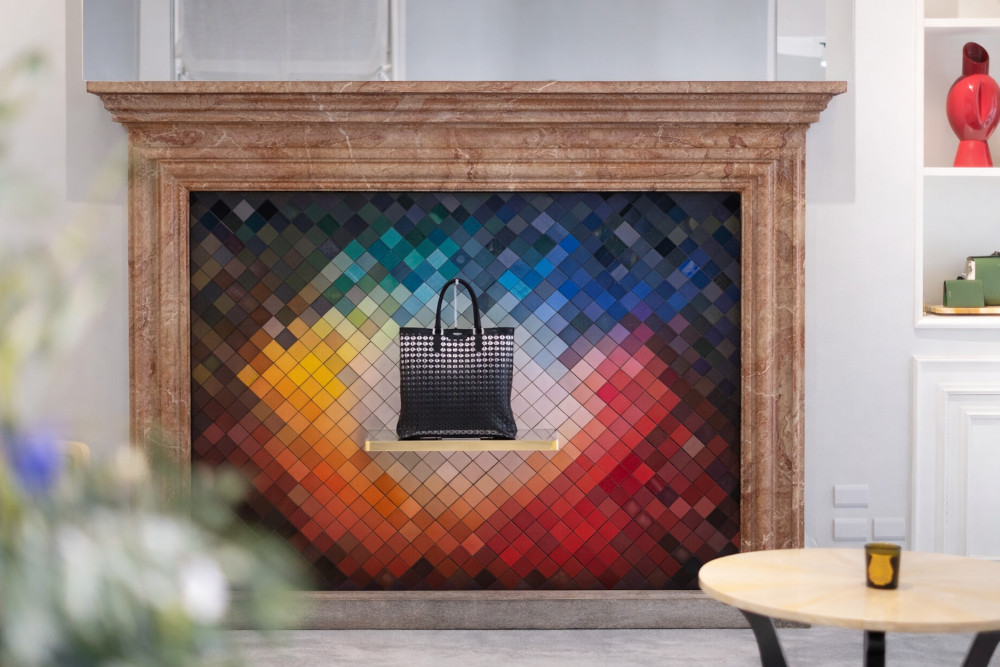
Digital Program in Milan
Milan, Italy
Executive program on digital luxury: three days of lectures, cases and a live project with Milanese brands.
Brand Identity Workshop
Berlin, Germany
A workshop with brand managers that turns the brand identity into guidelines the whole team can apply.
Luxury Strategy Seminar
Paris, France
Seminar for a management team: positioning, pricing and distribution of a luxury brand in its home market.
Card Styles
Four styles, one class each; the card names the class. Cards work without a picture as well.
Accent
basic-card-accent
A coloured line on top of the card; basic-card-accent-coral or basic-card-accent-purple change its colour.
Bordered
basic-card-bordered
A thin border instead of the shadow, for quiet lists and dense pages.
Glass
basic-card-glass
Translucent surface with a blur behind it, for cards on pictures or gradients.
Dark
basic-card-dark
Dark surface with light text, for contrast sections.
Sample Code
<div class="basic-grid">
  <div class="basic-card basic-card-animate">
    <div class="basic-card-image">
      <img src="/images/Portfolio/Upmarkit-Digital-Program-Milan.jpg" alt="Digital Program in Milan">
    </div>
    <div class="basic-card-content">
      <h3 class="basic-card-title">Digital Program in Milan</h3>
      <h4 class="basic-card-subtitle">Milan, Italy</h4>
      <p class="basic-card-description">Executive program on digital luxury: three days of lectures, cases and a live project with Milanese brands.</p>
    </div>
  </div>
  <div class="basic-card basic-card-animate">
    <div class="basic-card-image">
      <img src="/images/Portfolio/Upmarkit-Digital-Program-Milan.jpg" alt="Brand Identity Workshop">
    </div>
    <div class="basic-card-content">
      <h3 class="basic-card-title">Brand Identity Workshop</h3>
      <h4 class="basic-card-subtitle">Berlin, Germany</h4>
      <p class="basic-card-description">A workshop with brand managers that turns the brand identity into guidelines the whole team can apply.</p>
    </div>
  </div>
  <div class="basic-card basic-card-animate">
    <div class="basic-card-image">
      <img src="/images/Portfolio/Upmarkit-Digital-Program-Milan.jpg" alt="Luxury Strategy Seminar">
    </div>
    <div class="basic-card-content">
      <h3 class="basic-card-title">Luxury Strategy Seminar</h3>
      <h4 class="basic-card-subtitle">Paris, France</h4>
      <p class="basic-card-description">Seminar for a management team: positioning, pricing and distribution of a luxury brand in its home market.</p>
    </div>
  </div>
</div>
Empty Template
<div class="basic-grid">
  <div class="basic-card basic-card-animate">
    <div class="basic-card-image">
      <img src="/images/Portfolio/XXX.jpg" alt="XXX">
    </div>
    <div class="basic-card-content">
      <h3 class="basic-card-title">XXX</h3>
      <h4 class="basic-card-subtitle">XXX</h4>
      <p class="basic-card-description">XXX</p>
    </div>
  </div>
  <!-- PASTE MORE CARDS HERE -->
</div>
Empty Template with Options
<!-- Grid: basic-grid-gap-sm | basic-grid-gap-lg | basic-grid-gap-xl | basic-grid-gap-none; basic-grid-equal; basic-grid-align-start -->
<div class="basic-grid basic-grid-equal basic-grid-gap-lg">

  <!-- Card style: basic-card-accent (+ basic-card-accent-coral | basic-card-accent-purple) | basic-card-bordered | basic-card-glass | basic-card-dark -->
  <!-- Without basic-card-animate the card appears without the scroll reveal -->
  <div class="basic-card basic-card-animate basic-card-accent">
    <div class="basic-card-image">
      <img src="/images/Portfolio/XXX.jpg" alt="XXX">
    </div>
    <div class="basic-card-content">
      <h3 class="basic-card-title">XXX</h3>
      <h4 class="basic-card-subtitle">XXX</h4>
      <p class="basic-card-description">XXX</p>
    </div>
  </div>

  <!-- Card without a picture -->
  <div class="basic-card basic-card-animate basic-card-bordered">
    <div class="basic-card-content">
      <h3 class="basic-card-title">XXX</h3>
      <p class="basic-card-description">XXX</p>
    </div>
  </div>

  <!-- Card with a video instead of a picture (YouTube or Vimeo) -->
  <div class="basic-card basic-card-animate">
    <div class="basic-card-video" data-video="https://www.youtube.com/watch?v=XXX"></div>
    <div class="basic-card-content">
      <h3 class="basic-card-title">XXX</h3>
      <h4 class="basic-card-subtitle">XXX</h4>
      <p class="basic-card-description">XXX</p>
    </div>
  </div>

</div>Single Basic Card
A Basic Card can stand on its own, without a grid. It then takes the full text width, gets the large radius and the shadow of the Skin and can hold a picture or a video.
Live Example
Digital Program in Milan
Milan, Italy
Executive program on digital luxury: three days of lectures, cases and a live project with Milanese brands. On its own the card takes the full width of the text column; the picture keeps its proportions.
Sample Code
<div class="basic-card basic-card-animate">
  <div class="basic-card-image">
    <img src="/images/Portfolio/Upmarkit-Digital-Program-Milan.jpg" alt="Digital Program in Milan">
  </div>
  <div class="basic-card-content">
    <h3 class="basic-card-title">Digital Program in Milan</h3>
    <h4 class="basic-card-subtitle">Milan, Italy</h4>
    <p class="basic-card-description">Executive program on digital luxury: three days of lectures, cases and a live project with Milanese brands.</p>
  </div>
</div>
Empty Template
<div class="basic-card basic-card-animate">
  <div class="basic-card-image">
    <img src="/images/Portfolio/XXX.jpg" alt="XXX">
  </div>
  <div class="basic-card-content">
    <h3 class="basic-card-title">XXX</h3>
    <h4 class="basic-card-subtitle">XXX</h4>
    <p class="basic-card-description">XXX</p>
  </div>
</div>
Empty Template with Options
<!-- Card style: basic-card-accent (+ basic-card-accent-coral | basic-card-accent-purple) | basic-card-bordered | basic-card-glass | basic-card-dark -->
<!-- Video instead of a picture: basic-card-video with a YouTube or Vimeo address -->
<div class="basic-card basic-card-animate basic-card-accent">
  <div class="basic-card-video" data-video="https://www.youtube.com/watch?v=XXX"></div>
  <div class="basic-card-content">
    <h3 class="basic-card-title">XXX</h3>
    <h4 class="basic-card-subtitle">XXX</h4>
    <p class="basic-card-description">XXX</p>
  </div>
</div>