
One component for every picture on a page: figure.media-styled. It is a card without content: it takes the same shape options as the cards (radius by width, shadow, hover lift) and adds what only a picture needs, a caption with title and credit in four styles, caption alignment and a fade-in on scroll. The old classes media-rounded and media-shadow are no longer needed; radius and shadow are there by default.
Caption Styles
Four styles: the caption names the class.
Side by Side and Caption Alignment
Two or three images in a row go into a Basic Grid; each image keeps its own caption. Captions are centred by default; media-left or media-right change that.
Width
Full width is the default. For a picture that should not fill the column, golden-width takes 61.8 % of the column, centred, and keeps radius lg. It works on any block, not only on pictures.
Height
- Never taller than the screen: a picture always fits below the menu bar in one view (screen height minus the bar). The width then follows the aspect ratio, so very tall portrait pictures become narrower; that is intended.
- Full width is the default:
golden-widthis never applied automatically, only when you set it. The caption examples above use it so that they stay compact. - No stretching: a picture is never shown larger than its file. A smaller file sits centred at its own size.
- The caption stays on the picture: the frame is exactly as wide as the picture, whatever the cap does.
- Grids are the exception: inside a Basic Grid the picture fills its cell, the cap does not apply.
- Nothing to set: this is the default for every picture.
Sample Code
<figure class="media-styled media-title-shadow">
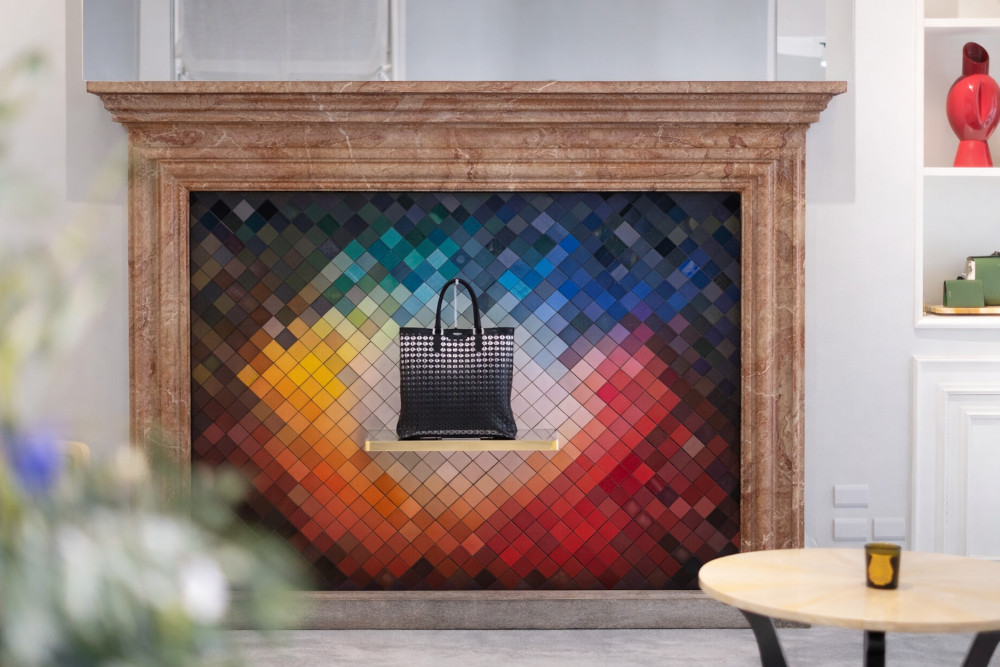
  <img src="/images/Portfolio/Upmarkit-Digital-Program-Milan.jpg" alt="Upmarkit digital program in Milan">
  <figcaption>
    <span class="media-title">Upmarkit digital program in Milan</span>
    <span class="media-credit">Photo: © Upmarkit</span>
  </figcaption>
</figure>
Empty Template
<figure class="media-styled media-title-shadow">
  <img src="/images/Portfolio/XXX.jpg" alt="XXX">
  <figcaption>
    <span class="media-title">XXX</span>
    <span class="media-credit">Photo: © XXX</span>
  </figcaption>
</figure>
Empty Template with Options
<!-- Caption style (one): media-title-shadow | media-title-gradient | media-title-overlay | media-title-below -->
<!-- Caption alignment: centred by default; media-left | media-right -->
<!-- Shape, same classes as cards: dck-surface--no-shadow | dck-surface--shadow-hero | dck-hover-lift | dck-surface--rounded-sm|md|lg -->
<!-- Fade in on scroll (one): media-fade-up | media-fade-down | media-fade-in | media-fade-left | media-fade-right -->
<!-- Width: full width by default; golden-width = 61.8 % of the column, centred -->
<figure class="media-styled media-title-gradient media-right dck-hover-lift media-fade-up golden-width">
<img src="/images/Portfolio/XXX.jpg" alt="XXX">
<figcaption>
<span class="media-title">XXX</span>
<span class="media-credit">Photo: © XXX</span>
</figcaption>
</figure>
<!-- Picture from the media library instead of a file path -->
<figure class="media-styled media-title-shadow">
<drupal-media data-entity-type="media" data-entity-uuid="XXX"> </drupal-media>
<figcaption>
<span class="media-title">XXX</span>
<span class="media-credit">Photo: © XXX</span>
</figcaption>
</figure>
<!-- Two or three images side by side -->
<div class="basic-grid">
<figure class="media-styled media-title-below">
<img src="/images/Portfolio/XXX.jpg" alt="XXX">
<figcaption><span class="media-title">XXX</span></figcaption>
</figure>
<figure class="media-styled media-title-below">
<img src="/images/Portfolio/XXX.jpg" alt="XXX">
<figcaption><span class="media-title">XXX</span></figcaption>
</figure>
</div>Image with Lightbox
Any picture can open full size in an overlay: wrap the picture in a link with the class colorbox that points to the full-size file. The figure keeps all its options (caption, width, shape); Several pictures with the same data-colorbox-gallery value become one gallery with previous and next. A YouTube or Vimeo link opens the player instead.
Live Example
Sample Code
<figure class="media-styled media-title-shadow golden-width">
  <a class="colorbox" href="/images/Portfolio/Upmarkit-Digital-Program-Milan.jpg" title="Upmarkit digital program in Milan">
    <img src="/images/Portfolio/Upmarkit-Digital-Program-Milan.jpg" alt="Upmarkit digital program in Milan">
  </a>
  <figcaption>
    <span class="media-title">Upmarkit digital program in Milan</span>
    <span class="media-credit">Click to enlarge</span>
  </figcaption>
</figure>
Empty Template
<figure class="media-styled media-title-shadow">
  <a class="colorbox" href="/images/Portfolio/XXX.jpg" title="XXX">
    <img src="/images/Portfolio/XXX.jpg" alt="XXX">
  </a>
  <figcaption>
    <span class="media-title">XXX</span>
    <span class="media-credit">Click to enlarge</span>
  </figcaption>
</figure>
Empty Template with Options
<!-- All figure options apply (caption style, width, shape, fade in) - see the box above -->
<!-- Gallery: same data-colorbox-gallery value on several links = one overlay with previous / next -->
<!-- Overlay caption: the title attribute of the link -->
<figure class="media-styled media-title-gradient golden-width">
  <a class="colorbox" href="/images/Portfolio/XXX.jpg" title="XXX" data-colorbox-gallery="XXX">
    <img src="/images/Portfolio/XXX.jpg" alt="XXX">
  </a>
  <figcaption>
    <span class="media-title">XXX</span>
    <span class="media-credit">Click to enlarge</span>
  </figcaption>
</figure>
Video (YouTube / Vimeo)
<!-- Colorbox recognises YouTube and Vimeo links and embeds the player instead of a picture -->
<figure class="media-styled media-title-shadow golden-width">
  <a class="colorbox" href="https://www.youtube.com/watch?v=XXX" title="XXX">
    <img src="/images/Portfolio/XXX.jpg" alt="XXX">
  </a>
  <figcaption>
    <span class="media-title">XXX</span>
    <span class="media-credit">Click to play</span>
  </figcaption>
</figure>
Text Link instead of a Picture
<a class="colorbox" href="/images/Portfolio/XXX.jpg" title="XXX">View the picture</a>Modal for Pages and Documents
Not only pictures can open in an overlay. A link with the class openmodal opens its target in a large overlay with a frame (90 % of the screen): a page of this site, a PDF, a form or another document. The link itself can be text, a Pill Button (the button for everything that stays on the page) or a picture. Pages of this site and files on this server work; other websites only if they allow being framed.
Live Example
Sample Code
<a class="openmodal" href="/WebDev/Colour-Tokens">Open the Colour Tokens page in a modal</a>Empty Template
<a class="openmodal" href="/sites/default/files/XXX.pdf">XXX</a>Empty Template with Options
<!-- Any link works: text, a button or a picture in a figure. The button for overlays is the Pill Button (blue = stays on the page) -->
<a class="pill-button openmodal" href="/sites/default/files/XXX.pdf">XXX</a>

<figure class="media-styled media-title-shadow golden-width">
  <a class="openmodal" href="/XXX">
    <img src="/images/Portfolio/XXX.jpg" alt="XXX">
  </a>
  <figcaption><span class="media-title">XXX</span><span class="media-credit">Click to open</span></figcaption>
</figure>